Capture your screen, webcam, and audio with one click. Create professional videos with gradient backgrounds, rounded corners, and upload directly to YouTube.
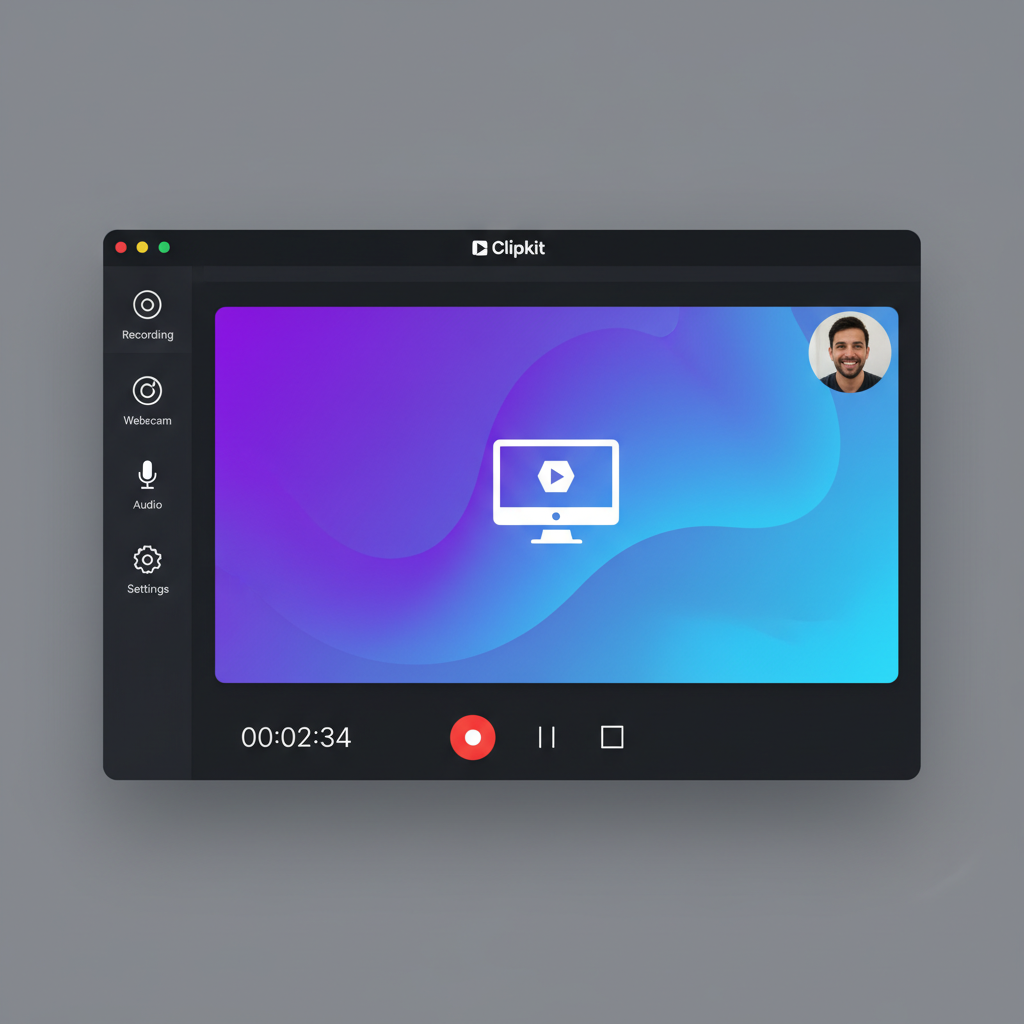
Everything you need to create professional screen recordings
Record full screen, specific windows, or custom regions. Capture exactly what you need.
Add a circular webcam overlay to personalize your recordings and connect with viewers.
Capture crystal-clear audio from your microphone for narration and commentary.
Wrap your recordings with beautiful gradient backgrounds and rounded corners for a polished look.
Automatically generate eye-catching thumbnails for your videos to boost engagement.
Upload your recordings directly to YouTube without leaving the app. One-click publishing.
Create professional recordings in three simple steps
Select full screen, a specific window, or draw a custom region to capture.
Hit record and capture your screen with optional webcam overlay and audio.
Apply styling, generate thumbnails, and upload directly to YouTube.
Powered by industry-leading frameworks and tools
Download Clipkit for free and create professional screen recordings in minutes.
Free to use. No account required.